Pixel phones may finally get real Material You color controls
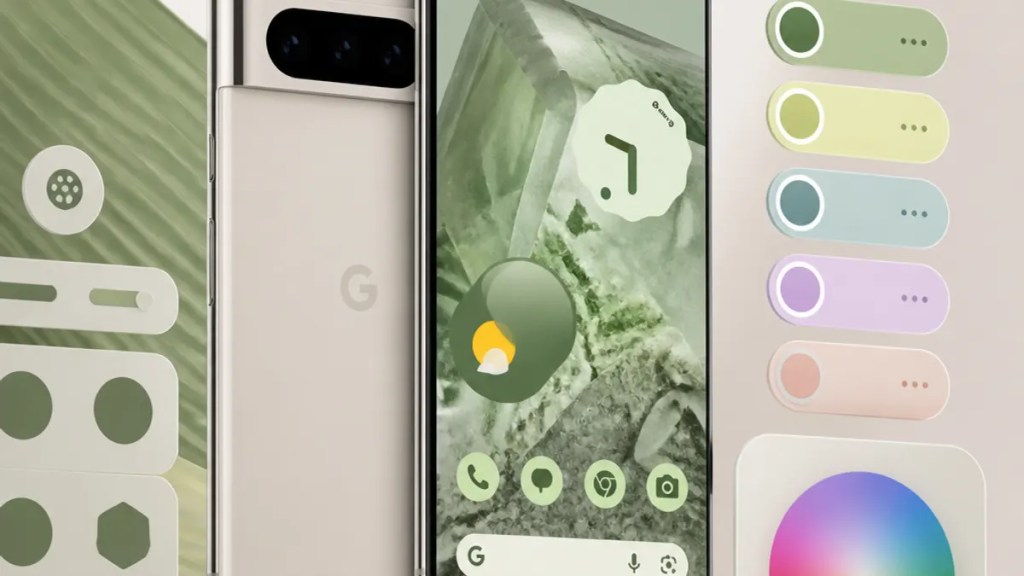
If you’ve ever changed your wallpaper on a Pixel and thought, “Nice, but why can’t I just pick the colors myself?”, this leak is worth your time. A report from Android Authority suggests Google may be preparing better Pixel Material You color controls, which could make Pixel personalization feel a lot less automatic and a lot more intentional.
That matters because Material You — Google’s Android design system that pulls colors from your wallpaper and applies them across the interface — looks great when it gets your taste right. When it doesn’t, you’re mostly stuck choosing a different wallpaper or settling for theme colors you didn’t really want.
Quick Summary
A new leak suggests Google may add more direct color choices to the Pixel’s Wallpaper and Style settings.
In plain English: instead of letting your wallpaper do almost all the work, Google may finally give you more say over your phone’s theme colors.
Nothing appears confirmed yet, and there’s no official release date in the source report. But if this change arrives, it could make Material You customization on Pixel phones much more flexible.
Why this would be a real quality-of-life upgrade
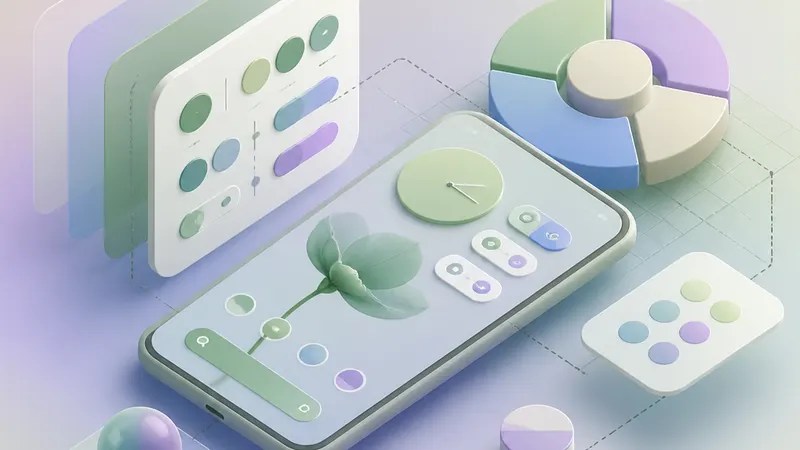
For most people, theme colors sound like a small thing until they use a phone every day. Your quick settings, app backgrounds, buttons, widgets, and other interface elements all take on that Material You palette. So when the color choice feels off, the whole phone can feel slightly wrong.
That’s been one of the quiet frustrations with Pixel wallpaper and style settings. Google’s current approach is polished, but it can also feel restrictive. You get a curated result based on your wallpaper rather than true, hands-on Android color controls.
According to Android Authority, Google appears to be working on changes that would give users more direct control over those colors. For Pixel owners, that could mean the difference between “this is what Google picked for me” and “this actually looks like my phone.”
What the leak reportedly shows
The Android Authority report points to changes in the Pixel’s Wallpaper and Style area, the section where you already manage things like wallpaper-based themes and interface appearance.
The key takeaway is simple: Google may be moving toward a system where Google Pixel theme colors are not tied so tightly to wallpaper extraction alone. In other words, the phone may still suggest colors based on your wallpaper, but you could have more freedom to adjust or choose them.
That would be a notable shift for Material You. Since its debut, the whole idea has been “your wallpaper shapes your interface.” It’s a smart concept, but it has also limited how much direct control users get. The reported update suggests Google may be trying to keep the personality of Material You while loosening the rules a bit.
What’s still unclear
Right now, the biggest unanswered question is timing.
The source report indicates this feature is in development, but it does not confirm a release date. So if you’re wondering whether these Pixel Material You color controls will arrive in the next Pixel Feature Drop, a future Android release, or something else entirely, the honest answer is that we don’t know yet based on the available source.
It’s also not clear exactly how deep the controls will go. There’s a big difference between “a few extra curated color options” and “full manual color picking.” The leak points to better customization, but not necessarily unlimited control.
That distinction matters. Many Pixel users would probably be happy with a middle ground: keep Google’s polished suggestions, but let people steer the final look.
Why Google may be doing this now
This feels like a natural next step for Pixel phone personalization.
Google has spent years making Pixel software look more expressive and more personal. But there’s always been a tension in Material You: it’s personal in theory, yet sometimes not very customizable in practice. You personalize by choosing a wallpaper, then the system decides the rest.
If Google is now adding stronger Material You customization tools, it may be responding to a simple reality: people like smart defaults, but they also want override buttons.
That’s especially true on Pixel phones, where the software experience is a major selling point. Better Android color controls would fit neatly into Google’s broader pitch that Pixel is clean, thoughtful, and easy to make your own.
What Pixel users should do now
For the moment, this is one to watch rather than one to act on.
If you already use a Pixel, it’s worth keeping an eye on future software updates and changes inside the Wallpaper and Style menu. That’s where any expanded color options would likely appear, based on the leak covered by Android Authority.
And if you’ve been frustrated by the current setup, this report is at least a sign that Google may know the limitation exists. That alone won’t change your phone today, but it does suggest the company could be rethinking how Pixel phone personalization should work.
The bottom line
The appeal of Material You has always been that your phone feels a little more like yours. The problem is that Pixel owners haven’t always had much direct control over how that actually plays out.
If this leak is accurate, Google may finally be closing that gap. Better Pixel Material You color controls wouldn’t be the flashiest update, but for people who care about how their phone looks every single day, it could be one of the more meaningful ones.
FAQs
Will Pixel phones get a manual color picker?
Not confirmed. The report from Android Authority suggests more direct control may be coming, but it does not confirm a full manual picker.
Is there a release date for the new color controls?
No official release date is mentioned in the source. The feature is reportedly in development, so it may arrive in a future update, but that is not confirmed.
Where would these controls appear on a Pixel phone?
Based on the report, they would likely show up in the Pixel’s Wallpaper and Style section, where you already manage theme and wallpaper-related settings.
Internal link suggestions
- A guide to Android 15’s biggest Pixel features and what they do
- How Material You works on Android and why it changes your phone’s look
- Best Pixel tips for customizing your home screen, wallpaper, and icons

