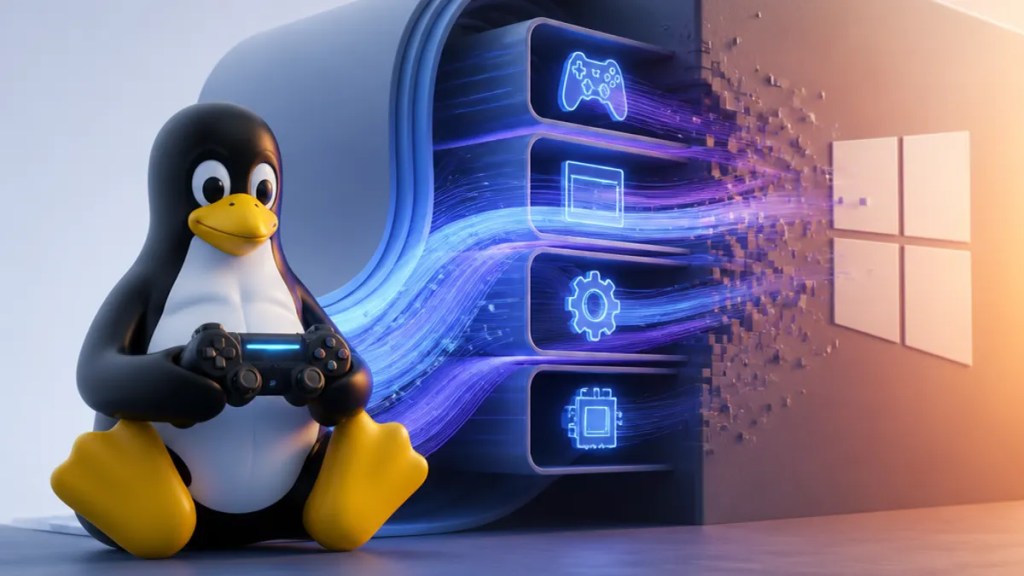
Title: Linux Gaming Gets Faster as Windows APIs Move Into the Kernel
Meta description: Linux gaming may get faster as Windows API behavior moves closer to the Linux kernel. Here’s what that could mean for performance and compatibility.
If you care about Linux gaming, this is one of those under-the-hood changes that could actually matter in day-to-day play. The short version is simple: some behavior normally handled through Windows APIs is reportedly moving closer to the Linux kernel, which may reduce overhead and improve both gaming performance and game compatibility.
That sounds niche at first. It really isn’t. If you use Steam on Linux, or you’ve ever wondered why some Windows games run surprisingly well through Wine or Proton, this is the kind of plumbing that helps explain it.
Quick Summary
- Linux gaming may get faster because some Windows-style API behavior is being implemented closer to the Linux kernel.
- The practical goal is to reduce the extra work translation layers have to do.
- That could help PC gaming on Linux feel smoother, especially for games that depend heavily on low-level system calls, the basic requests software makes to the operating system.
- According to XDA Developers, this shift could improve performance and compatibility rather than just making Linux “look” more like Windows.

Why this matters if you just want your games to run
Most people do not care where an API lives. Fair enough. You care whether a game launches, whether stutter gets worse in busy scenes, and whether anti-cheat or launcher weirdness breaks everything.
That is where this story becomes useful.
On Linux, many Windows games run through compatibility tools like Wine and Proton. Those tools translate Windows software behavior into something Linux understands. When that translation happens in user space, meaning outside the operating system’s core, it can add extra steps. More steps can mean more overhead.
XDA’s reporting suggests that moving some of that behavior closer to the kernel may help cut down those detours. In plain English: the game may spend less time asking for things in one language and waiting for them to be reinterpreted in another.
What “Windows APIs becoming Linux kernel features” actually means
This phrase sounds bigger than it is, so it helps to unpack it.
A Windows API is just a set of rules and functions that Windows programs expect to use. A Linux kernel feature is something supported more directly by the operating system’s core layer. The kernel handles low-level jobs like memory, scheduling, and communication between software and hardware.
The idea, as described by XDA Developers, is not that Linux is turning into Windows. It is that Linux may support certain expected behaviors more directly, especially where games and compatibility tools hit bottlenecks.
That matters because games can make a huge number of system calls. Those are the operating system requests apps use to do basic work. If those calls are handled more efficiently, the whole stack may feel faster.
Why Proton and Wine benefit from this
Wine is the long-running compatibility layer that lets many Windows apps work on Linux. Proton is Valve’s gaming-focused version built around Wine and other tools for Steam.
Both depend on translating Windows expectations into Linux behavior. So if Linux itself gets better at handling some of those expectations, Proton and Wine may have less work to do.
That does not guarantee every game suddenly performs better. It also does not mean every compatibility problem disappears. But it does point in a useful direction: fewer awkward workarounds, more direct handling, and potentially better consistency across games.
For Linux users, that is often the real win. Not magic. Just fewer rough edges.
What this could mean for gaming performance
The clearest possible benefit is lower overhead. If a game’s requests can be handled in a more direct way, the CPU may spend less time bouncing between layers.
That may show up as better frame pacing, fewer performance penalties in CPU-heavy games, or less friction in titles that rely heavily on Windows-specific behavior. XDA frames the change as one reason Linux gaming is getting faster, especially as the software stack becomes more tuned for modern game workloads.
There is a second benefit too: compatibility. Performance is only half the story in PC gaming on Linux. A title that runs fast but breaks during startup is still broken. If these kernel-level changes help Linux behave more like what Windows games expect, more titles may run correctly without custom fixes.
What users should keep in mind
This is promising, but it is not a blanket promise.
Some games are limited by GPU drivers. Others are blocked by anti-cheat systems, launchers, or DRM. And some titles already run well enough through Proton that you may not notice a dramatic difference right away.
Still, this kind of work tends to matter over time. Linux gaming improves not only through flashy front-end updates, but through quiet changes in the layers underneath. That is often how the platform gets from “surprisingly playable” to “reliably good.”
If you are already gaming on Linux, this is a sign that the foundation is still getting better. If you are curious but hesitant, it is another reminder that Linux is becoming a more serious option for everyday gaming use.
FAQs
Does this mean Linux can run Windows games natively now?
Not exactly. Most Windows games on Linux still rely on compatibility tools like Wine or Proton. What may change is how efficiently Linux handles some of the behavior those games expect.
Will every game get faster on Linux?
Probably not. Performance depends on the game, drivers, and whether the title is limited by CPU, GPU, anti-cheat, or other factors. The reported benefit is that some games may see less overhead and better compatibility.
Is this only relevant for advanced users?
No. Even if you never touch terminal commands, these lower-level changes can affect your experience. If a game launches more easily or runs more smoothly through Proton, you benefit whether or not you know what a kernel is.
Sources
Internal link suggestions
- A beginner’s guide to Proton and how Steam Deck compatibility works
- Best Linux distros for PC gaming in 2026
- Wine vs Proton: what’s the difference for everyday gamers?

