
Meta description: Amazon.com now opens on big-screen Echo Show devices. See what changes for shopping, privacy, and everyday use.
If you own a larger Echo Show, this is one of those updates that sounds small until you picture how people actually use these devices. Amazon.com Lands on Big Echo Show Screens, which means the smart display in your kitchen or living room can now open the full Amazon shopping site instead of keeping you inside a more limited voice-first experience.
That matters because it changes the Echo Show from “Alexa, reorder paper towels” into something closer to a casual couch-side shopping screen. According to Engadget, Amazon is now letting people visit Amazon.com on big-screen Echo Show displays. For everyday users, that means more visual browsing, more tapping, and potentially less dependence on voice commands alone.
Quick Summary
Amazon is bringing the full Amazon.com experience to larger Echo Show devices.
In plain English: if you have a big-screen Echo Show, you may now be able to browse Amazon’s website directly on the display. That could make Amazon shopping on Echo Show feel more like shopping on a tablet, just with Alexa built in.
The practical upside is obvious: seeing more products, comparing options more easily, and not having to rely only on spoken commands. The tradeoff is also obvious: your smart display may start acting a bit more like a shopping terminal in your home.
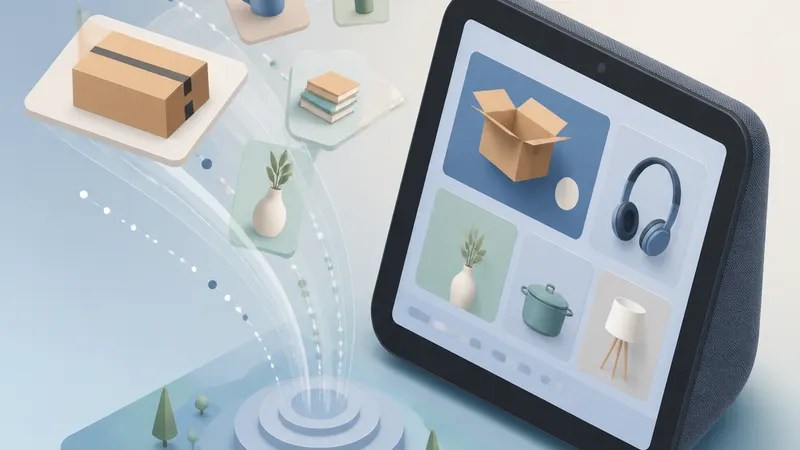
What’s actually changing
The key shift here is access to the full Amazon storefront on the device itself. Engadget reports that Amazon.com can now be visited on larger Echo Show models, expanding what the Echo Show browser can do for shopping.
That’s a bigger deal than it sounds.
Echo Show devices have long been useful for quick tasks: timers, weather, video calls, recipes, and some shopping through Alexa. But voice shopping has limits. If you’ve ever tried buying something with only a spoken prompt, you know the problem: it’s fine for reordering something familiar, less ideal when you want to compare brands, colors, sizes, or reviews.
A full website on the display changes that experience. It gives you a more visual path through Amazon’s catalog, which is probably what most people expect when they hear “shopping.”
Why this matters for regular users
For a lot of homes, the Echo Show lives in a shared space. It’s not tucked away like a laptop, and it’s not as personal as a phone. So when Amazon Echo Show web browsing becomes more capable, the device starts to blur the line between smart assistant and household screen.
That can be useful.
Maybe you’re following a recipe and want to quickly pull up an item. Maybe you’re checking out a product someone mentioned. Maybe you just prefer tapping through options on a larger display instead of asking Alexa to read choices aloud.
This also makes Alexa shopping a little more approachable for people who never fully trusted voice-only buying. Seeing the actual site may make the process feel more familiar and less like you’re handing over the decision to an assistant.
The shopping experience may feel more natural
The biggest benefit is probably confidence.
Voice shopping works best when you already know exactly what you want. Browsing works better when you don’t. A larger screen lets you scan products, spot differences, and make a more informed choice without switching devices.
That’s why the phrase Amazon.com Lands on Big Echo Show Screens is more than a feature note. It points to Amazon trying to make the Echo Show more central to everyday shopping, especially in rooms where people already glance at the screen throughout the day.
If you’ve ever used an Echo Show mostly for weather, music lyrics, or camera feeds, this update may make the device feel more useful. If you already shop heavily on Amazon, it may feel a little more like the company is bringing its storefront deeper into the home.
What to keep in mind about privacy and shared screens
There’s also a less exciting but important side to this.
Shopping on a shared smart display is different from shopping on your phone. Product searches, recommendations, and account access can feel more public when they happen on a screen that anyone nearby might see.
The source material does not detail new privacy controls tied to this change, so it’s safest to say users should be mindful of how their Echo Show is set up. If you use a shared device, it may be worth checking your shopping settings, voice purchasing options, and what appears on-screen by default.
That’s not a reason to avoid the feature. It’s just part of using a smart display for more than passive tasks.
The bigger picture for Echo Show
This update suggests Amazon wants larger Echo Show devices to do more than answer questions and show widgets. Opening up Amazon.com on those screens makes the hardware feel more like a lightweight home computer for simple tasks, especially shopping.
It also fits a broader pattern in smart displays: companies keep trying to make them more useful without asking you to treat them like full PCs. A browser-based shopping experience is a practical middle ground. You’re not replacing your laptop, but you may reach for it less often.
For now, the main takeaway is simple. If you own a larger Echo Show, your device may now be better at the one thing Amazon knows best: selling you stuff, but in a way that’s easier to see and control.
FAQs
Can I browse the full Amazon website on any Echo Show?
Based on Engadget’s reporting, this change applies to big-screen Echo Show devices. The source does not confirm that every Echo Show model gets the same experience.
Is this different from asking Alexa to buy something?
Yes. Traditional Alexa shopping is mostly voice-led, which is useful for simple reorders. Visiting Amazon.com on the device means a more visual browsing experience, closer to shopping on a screen than speaking a command.
Does this mean the Echo Show is now a full web browser device?
Not exactly. The reporting points specifically to access to Amazon.com on larger Echo Show displays. That improves the Echo Show browser experience for shopping, but it does not necessarily mean the device works like a full tablet or desktop browser in every way.
Sources
Internal link suggestions
- A guide to the best Echo Show features for everyday use
- How Alexa shopping works and what it can do
- Smart display privacy tips: what to check on Echo devices

