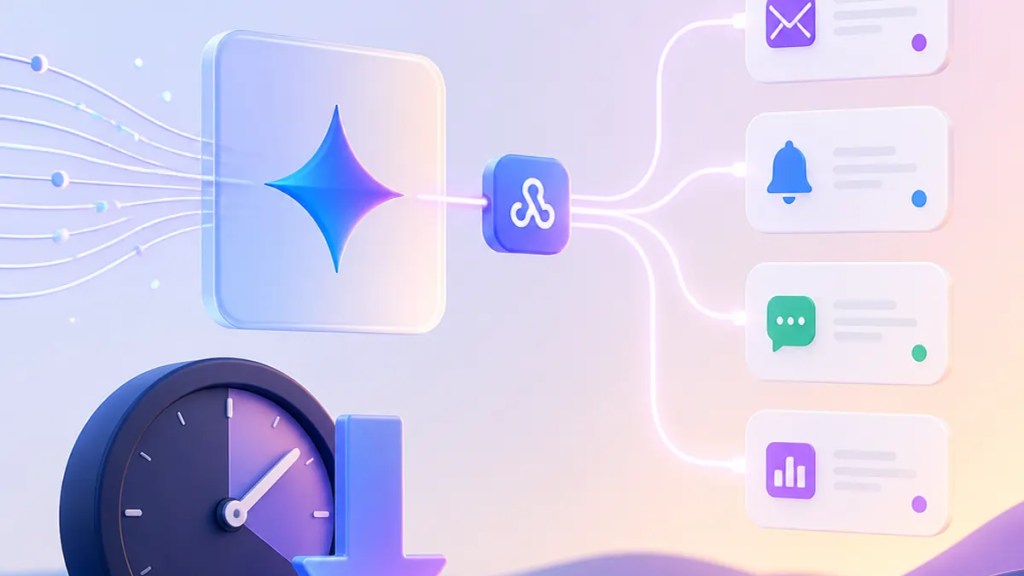
Gemini API webhooks cut out one of the more annoying parts of AI app development: waiting around and repeatedly checking whether a long task is done. For anyone using AI features that can take a while to finish, that matters because less waiting in the plumbing usually means a smoother experience on the screen.
Google says the new Gemini API webhooks are meant to reduce friction and latency for long-running jobs. In plain English, instead of an app constantly asking, “Is it ready yet?”, Google can send a webhook notification when the work is finished.
Quick Summary
Google has added event-driven webhooks to the Gemini API.
That means developers handling long-running jobs may no longer need to rely as heavily on polling, the repeated checking of a server for updates. Instead, apps can wait for a webhook notification from Google when a task completes.
For users, the impact is mostly indirect but useful: apps built with Gemini may feel more responsive, waste fewer resources in the background, and handle slow AI tasks more cleanly.
Why this matters beyond developers
Most people will never touch an API dashboard, but you do feel the effects of how these systems are built.
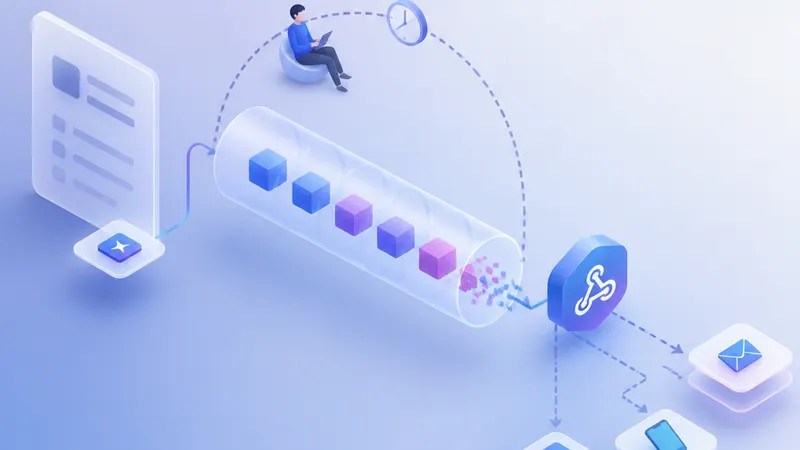
When an app has to keep checking for Gemini API updates, it can create extra delay, extra server work, and more moving parts. That’s especially true for long-running jobs, which may take more time than a quick chat response. If a developer has a cleaner way to learn when a job is done, the app can spend less effort asking and more effort responding.
That’s the practical appeal of event-driven webhooks. They flip the model. Instead of your app repeatedly knocking on the door, the service sends a message when there’s actually news.
Google frames the feature the same way in its announcement on The Keyword: a way to reduce friction and latency for long-running jobs in the Gemini API.
What a webhook actually does
A webhook is basically an automated callback over the web. When something important happens, one system sends a message to another system at a pre-set URL.
In this case, Google AI developer tools now support webhook notifications for Gemini API workflows, according to Google’s announcement. The key idea is that developers can build around events rather than constant status checks.
That “event-driven” part matters. It means the trigger is the event itself, such as a job finishing, rather than a timer that keeps checking every few seconds.
If you’ve ever watched a loading spinner and wondered why an app feels clunky, this is one of those under-the-hood changes that may help.
How Gemini API webhooks may reduce latency
It’s worth being careful here: webhooks do not make the AI model itself think faster. They don’t magically shorten the actual processing time of a long task.
What they may do is reduce latency around the edges.
Polling can introduce delays because an app might only check for completion at intervals. If the job finishes just after a check, the app may not notice until the next one. Webhook notifications can cut that dead time by letting the system react when the event happens.
That also may reduce unnecessary network traffic and backend load, since the app no longer has to ask for status over and over.
So when Google says this update is about reducing friction and latency, the practical reading is straightforward: less waiting caused by the checking process itself, and less overhead in the system around it.
What changes for developers
For developers building on Gemini, this looks like a quality-of-life upgrade.
Instead of designing around repeated polling, they can build app logic that waits for a signal from the API. That can simplify workflows for long-running jobs and make it easier to connect Gemini outputs to the next step in an app.
Think of tasks where the result doesn’t need to appear instantly but does need to arrive reliably. Webhooks can be a better fit for that pattern than a loop of status requests.
Google’s post positions this as part of its broader developer tooling around Gemini. Even if the announcement is technical, the end goal is pretty user-facing: fewer awkward waits and cleaner handoffs when AI work takes time.
What users should watch for
You probably won’t see a “webhooks” button in your favorite app. What you may notice instead is behavior that feels less messy.
Apps may be better at notifying you when an AI-generated result is ready. Background tasks may feel more dependable. In some cases, developers may be able to reduce latency in how quickly an app reacts once Gemini finishes a job.
The bigger point is that not every useful AI update is about a new model. Sometimes it’s about the infrastructure around the model. This is one of those updates.
And for teams already using Google AI developer tools, Gemini API webhooks may be one of the more practical improvements because they target a common pain point rather than adding another flashy feature.
FAQs
What are Gemini API webhooks?
They are event-driven webhooks for the Gemini API that let Google send a notification to a developer’s system when a job reaches a certain point, such as completion, instead of requiring constant polling.
Do webhooks make Gemini responses faster?
Not exactly. They may reduce latency caused by repeated status checks and help apps react faster when a long-running job finishes, but they do not necessarily speed up the model’s actual processing time.
Why should regular users care?
Because better backend handling often leads to better app behavior. If developers use webhook notifications instead of polling, apps may feel smoother and more reliable when AI tasks take longer to complete.
Sources
- Google, The Keyword: Event-Driven Webhooks in the Gemini API
Internal link suggestions
- Link to a beginner’s guide explaining APIs, polling, and webhooks in plain English
- Link to coverage of recent Gemini API updates and model features
- Link to a broader explainer on Google AI developer tools and how developers build AI-powered apps

