Meta description: Android 17 may bring a blur-heavy new look. See what’s changing, why Google is testing it, and how it could affect daily use.
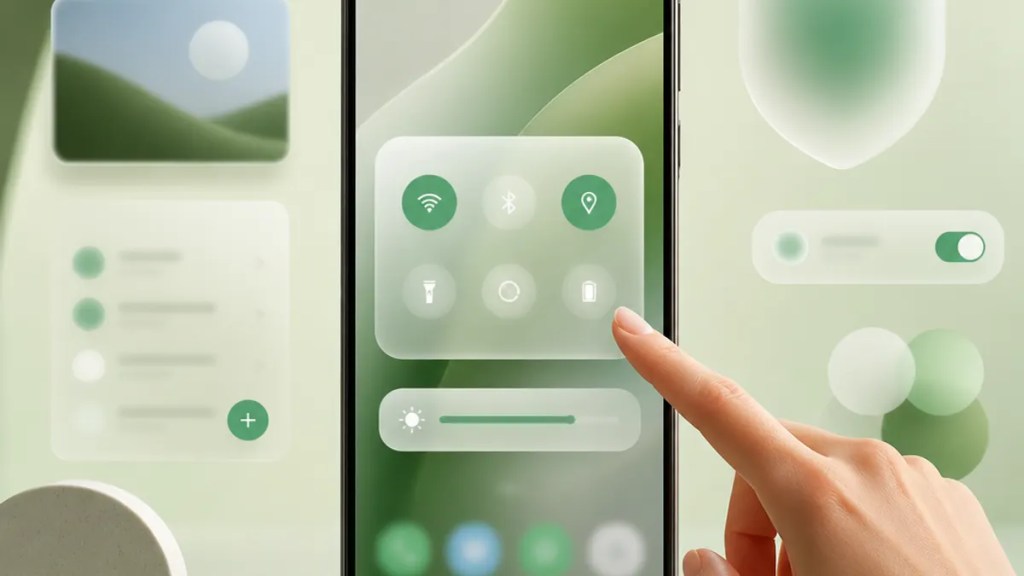
Android 17’s interface may end up feeling different before you even notice any new feature list. The big visual clue, according to reporting from Android Authority, is a stronger push toward an Android 17 blurry UI style across more screens.
That matters because design changes are the part of an update you live with every day. If Google is leaning harder into blur effects, translucent panels, and layered backgrounds, the question for you is simple: does it make Android feel cleaner and easier to use, or just softer and harder to read?
Quick Summary
Android 17 reportedly shows more of Google’s blur-heavy visual style.
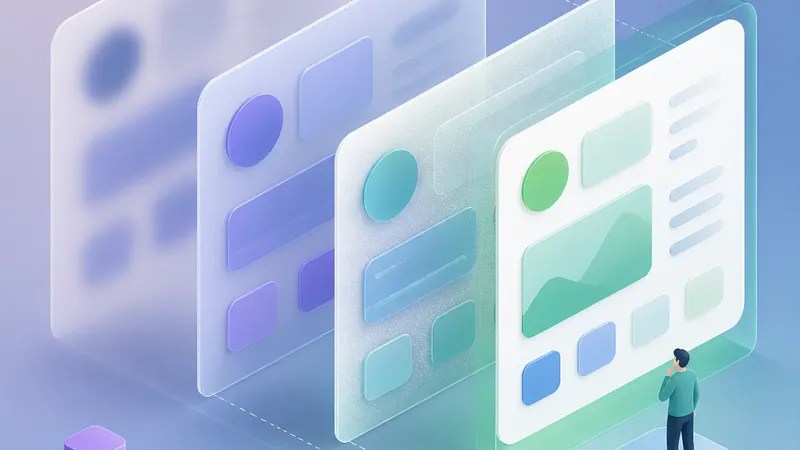
That means parts of the system may look more layered, with background content softened behind menus or panels instead of being fully hidden.
The likely goal is a more modern, cohesive look tied to Google’s broader Material You design language. For you, the trade-off is straightforward: prettier depth and polish on one side, possible readability or distraction concerns on the other.
What seems to be changing in Android 17
Based on screens highlighted by Android Authority, Google appears to be extending this blur-based treatment to more parts of the system UI, or user interface. In plain terms, that’s the visual shell of Android: menus, panels, overlays, and other on-screen elements you interact with constantly.
This is not just a one-off effect. The report suggests Google is going broader with the aesthetic, making blur feel like a more central part of the Android 17 interface rather than a decorative extra.
That fits with the direction many people already associate with Google Material You blur styling: softer surfaces, layered depth, and a less flat look overall. Instead of every panel appearing as a solid block, some screens may let the background show through in a muted, frosted way.
Why Google would choose a blur-heavy look
There’s a reason tech companies keep returning to blur. It can separate foreground and background without fully cutting one off from the other. When it works, it helps your eye understand what’s active on screen.
That’s likely the appeal behind these Android 17 design changes. A blurred background can make a quick settings panel or pop-up feel more connected to the rest of the phone, while still keeping your focus on what matters in the moment.
It also gives Android a more unified visual identity. Google has spent the last few years shaping Material You into something more personal and expressive. A stronger blur effect could be part of that same effort: making the OS feel softer, more layered, and more intentionally designed.
What you might like about it
If you enjoy interfaces that feel modern and a little less rigid, this Android 17 new look may be appealing.
Blur can make transitions feel smoother and menus feel less abrupt. It often creates a sense of depth, which is just a design way of saying the screen feels more organized into layers. That can make an interface seem calmer, especially when there’s a lot happening visually.
For some users, it may also make Android feel more premium. Even if nothing functionally changes, the visual treatment can make everyday actions—checking settings, opening panels, moving through menus—feel more polished.
What could be annoying
The downside is also easy to understand: blur is not automatically better.
If it’s too strong, text and icons can feel less crisp. If it’s too subtle, it may not do much beyond adding visual noise. And if you prefer clean, high-contrast interfaces, a blur-first approach may feel like style winning over clarity.
That’s the real tension in any Google UI redesign like this. The best version of blur helps guide your attention. The worst version just makes everything look hazy.
Android Authority’s reporting points to Google using the effect more widely, but how successful it feels will depend on execution—especially readability and contrast.
So what should you choose, and why?
If Android 17 gives users options, the best choice will probably come down to how you use your phone.
Choose the blur-heavy look if…
You like a softer, more modern interface and don’t mind visual effects as long as the phone remains easy to read. If you mainly care about aesthetics and a sense of polish, the blurry style may feel more pleasant day to day.
Choose a cleaner or reduced-effect look if…
You want maximum clarity, stronger contrast, or fewer distractions. If you read a lot on your phone, use it outdoors often, or simply prefer straightforward design, less blur may be the better fit.
The practical answer
For most people, readability should win. A stylish interface is nice, but you interact with text, toggles, and notifications hundreds of times a day. If Google offers settings to tone the effect down, that may end up being the sweet spot: keeping some of the new visual depth without making the interface feel foggy.
The bigger picture
The interesting part of this report is not just that Android 17 may look blurrier. It’s that Google seems increasingly confident in this direction.
That suggests the company sees blur not as a temporary experiment, but as a bigger part of Android’s visual identity going forward. If that holds, the Android 17 blurry UI could be one of the clearest signs yet of where Google wants the platform to go: less flat, more layered, and more visibly “designed.”
For everyday users, the takeaway is simple. This may not change what your phone can do, but it could change how comfortable and intuitive it feels while doing it.
FAQs
Is Android 17 definitely getting a blur-heavy redesign?
Not definitively based on the available source. Android Authority reports that more Android 17 screens show this style, which suggests Google is moving in that direction.
Will the Android 17 blurry UI affect performance?
The provided source does not confirm any performance impact. At this stage, it’s safer to say the visual change may affect how the interface feels, but performance effects are not confirmed here.
Can users turn the blur effect off?
The available source does not confirm whether Android 17 will include a user-facing toggle or reduction setting for blur effects.
Sources
Internal link suggestions
- A guide to the biggest Android version changes in recent years
- Material You explained: what Google’s design language actually means
- Android settings worth changing first on a new phone

